
Valorant Crosshair Companion Desktop Overlay
A lightweight always-on-top overlay that shows pro crosshairs, copies codes in one click, and stays by your side while you play.
Windows 10/11 (64-bit) · Mac coming soon
Desktop Overlay Features
Desktop floating tool for real-time preview and copying pro crosshairs
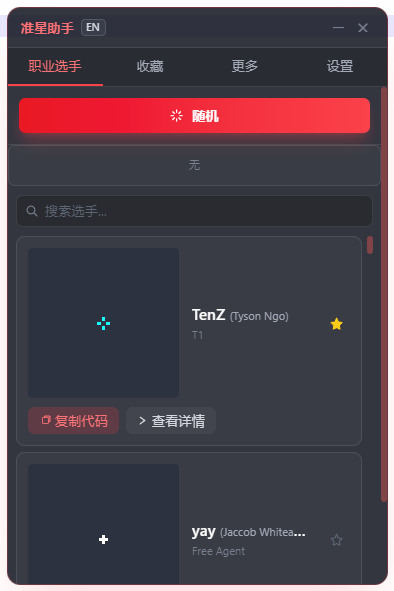
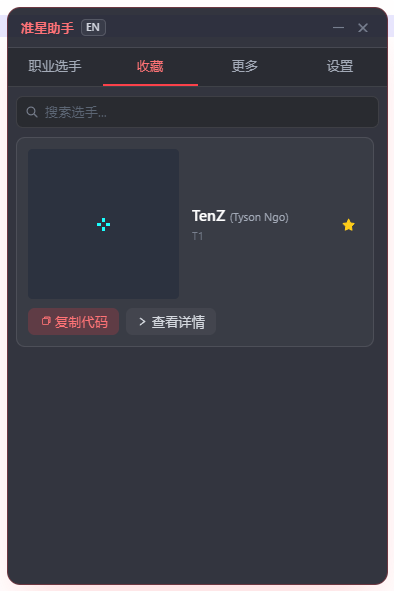
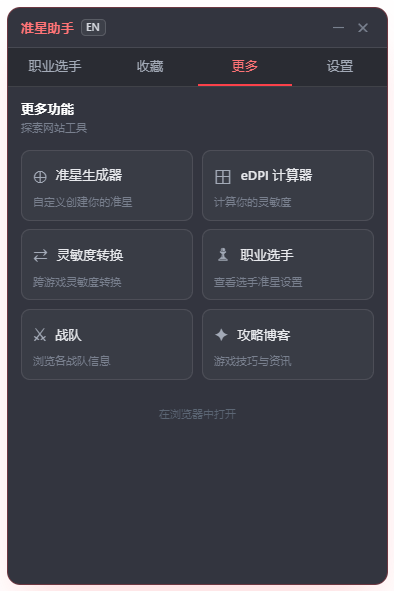
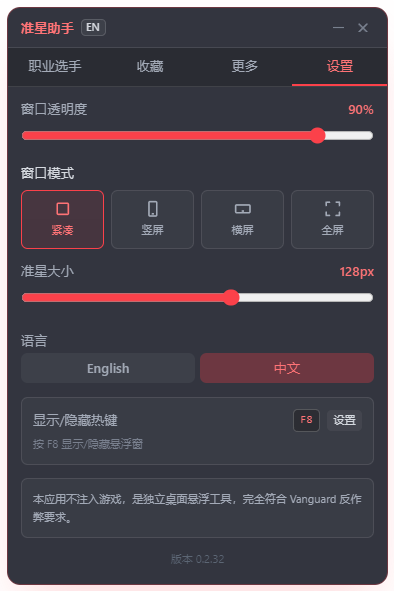
Core Features
- Pro Player Crosshair Library - 250+ pro crosshair codes, one-click import
- Real-time Preview - Instant code rendering, see what you get
- Favorites - Save favorite crosshairs, quick switch
- Random Crosshair - Discover new styles with random display
Special Features
- Desktop Floating - Real-time display in-game, no interference
- Hotkey Control - F8 show/hide, customizable
- Opacity Adjustment - Custom window transparency, perfect integration
- Multi-language Support - Chinese/English bilingual interface
Parameter Settings
Window Settings
- Opacity: Adjust floating window transparency (10%-100%)
- Crosshair Size: Adjust crosshair display size (64-256px)
- Window Mode: Compact/Portrait/Landscape/Fullscreen modes
Hotkey Settings
- Default Hotkey: F8 show/hide floating window
- Custom Hotkey: Support F1-F12, Ctrl+F8 combinations
- Minimize to Tray: Minimize to system tray when closed
Usage Instructions
Download Install
Download and install, supports Windows 10/11
Select Crosshair
Browse pro crosshairs or use random feature
Use in Game
Copy code and import to game, real-time display
Why You'll Love It
Built for Valorant players who want quick crosshair reference without leaving the game
Always on Top
Semi-transparent overlay floats above your game. Drag it anywhere, hide it with F8.
One-Click Copy
Copy any pro player's crosshair code instantly. Paste it directly into Valorant's import field.
Pro Player Database
Browse crosshairs from TenZ, aspas, ZmjjKK and more. Updated regularly with new configs.
Lightweight & Safe
Standalone desktop app. Does NOT inject into the game. Fully compliant with Vanguard anti-cheat.
Get Started in 4 Steps
Up and running in under a minute
Download
Click the download button above to get the Windows installer.
Install
Run the installer and follow the setup wizard. No admin required.
Open
Launch the app. A semi-transparent overlay appears on your desktop.
Play
Open Valorant. Use F8 to toggle the overlay. Copy any crosshair code and paste in-game.
Safe & Vanguard-Compliant
Your account security is our top priority
This app is a standalone desktop overlay. It does NOT inject into the Valorant game process, does NOT hook memory, does NOT read game screens, and does NOT simulate input. It simply displays information in a separate desktop window. This means it is completely safe and will not trigger Vanguard anti-cheat.
- Does NOT inject into the game process
- Does NOT hook memory or read game screens
- Does NOT simulate input or modify game files
- Only displays information in a separate desktop window
- Fully compatible with Riot Vanguard anti-cheat
Frequently Asked Questions
Everything you need to know about the Companion App
More VALORANT Tools
Explore our full suite of free tools
Ready to Upgrade Your Crosshair Game?
Download the Companion App now and get instant access to every pro crosshair