
Valorant Default Crosshair Sucks? Best Settings & How to Change It
The default Valorant crosshair is thick, low-contrast, and blocks your view. Learn exactly why it makes you miss, then set up a pro-grade crosshair with ready-to-use codes.

Why the Default Valorant Crosshair Makes You Miss
The default crosshair is a thick, static green cross with no customization. Here's why almost every experienced player dumps it within their first hour:
The crosshair is the only part of the UI you stare at for an entire match. If it's working against you, no amount of aim training will fix it.
Step 1: Stop Using the Default — Grab a Pro Config
The fastest fix is to stop tweaking and just copy someone who has already done the work. Professional players spend thousands of hours dialing in their reticles, and importing a proven code instantly resets your aim foundation.
Browse our Valorant pro crosshair library to find configs from players like TenZ, s1mple, and ZmjjKK, or use the free crosshair generator to build your own from scratch. Either way, the goal is the same: replace the default with something small, high-contrast, and distraction-free.
Step 2: Tune Each Setting (With Examples)
Once you've picked a base, open the crosshair settings and adjust these parameters one by one. Every change below comes with a real pro example so you can see the result.
Pick a High-Contrast Color
Color is the single most important visibility setting. Cyan and yellow stand out against nearly every map texture; green works but fades on plant-heavy maps.
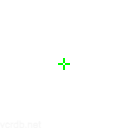
Fig 1. A cyan crosshair like Ec1s's stays visible on dark maps like Ascent and Icebox.
Center Dot: On or Off?
This splits the community into two camps. A small center dot acts as a laser pointer for precise one-taps. A hollow box (dot off) lets you frame the enemy's head inside the inner lines for tracking.
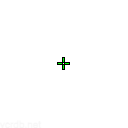
Fig 2. Precision players like Aimdll favor a center dot for laser-like one-tap accuracy.
If you're new, start with dot off and a small hollow box — it's more forgiving while you build fundamentals.
Inner Lines: Length, Thickness, Offset
This is the heart of your crosshair. Most pros run something close to:

Fig 3. pAura's clean small crosshair — the "gold standard" minimalist config.
Turn Off the Outer Lines
Outer lines add visual noise and serve almost no purpose in tactical aiming. Almost every pro sets outer line length and thickness to 0. Disable them.
Disable Movement & Firing Error
These options make the crosshair expand when you move or shoot. It's distracting and encourages bad spraying habits. Turn both off for a static reference point.
Step 3: Three Ready-to-Use Crosshair Configs
Don't want to tune everything yourself? Here are three proven setups. Copy any code and paste it straight into Valorant's crosshair settings.
1. The Classic Small Box (Best for Most Players)
Small, static, no dot. This is what the majority of Radiant players use.
`
0;s;1;P;c;1;h;0;f;0;0t;1;0l;2;0o;2;0a;1;0f;0;1t;0;1l;0;1o;0;1a;0;1m;0;1f;0
`
2. The Center Dot (One-Tap Precision)
A single bright dot. Forces you to aim with intention — great for Vandal one-taps, tougher for spraying.
`
0;P;c;1;o;1;d;1;z;2;f;0;0t;0;0l;0;0o;0;0a;0;0f;0;1t;0;1l;0;1o;0;1a;0
`
3. The TenZ Pro Style
If you want to copy a world champion, grab TenZ's exact setup from our pro crosshair database.
Fig 4. TenZ's compact cyan crosshair — tuned for headshot consistency.
Prefer to dial in your own numbers instead? Open the crosshair generator and tweak every parameter with a live preview.
How to Import a Crosshair Code in Valorant
Once you have a code, applying it takes ten seconds:
Your new crosshair applies instantly. Test it in the Range for a few minutes before jumping into a match so your muscle memory can adjust.
FAQ: Default Crosshair Questions
Can I change the default crosshair in Valorant? Yes. The default is just a starting point — you can fully customize every parameter in Settings → Crosshair, or import a code in seconds.
Why is the default crosshair so big? Riot designed it to be legible for brand-new players on any display, which means thick lines and high opacity. That same size is exactly what makes it block distant heads once you start aiming seriously.
Will using a pro player's crosshair make me better? It won't instantly raise your rank, but a clean, high-contrast crosshair removes a major source of missed shots. Paired with consistent practice, it's one of the fastest settings changes that actually impacts your aim.
Build Your Own Crosshair Today
The default crosshair exists to get you into a match — not to help you win one. Grab a pro config from our professional crosshair library, get weird with a fun design from the creative crosshairs collection, or build something perfectly yours with the crosshair generator. Stop fighting your reticle and start hitting heads.