
Pro Crosshair Codes 2026: TenZ, Aspas, Demon1 One-Click Imports
The 2026 pro crosshair codes collection: copy TenZ, yay, Aspas, Demon1 and more with one click. Learn why pros differ, how to import, and how to choose your perfect reticle.
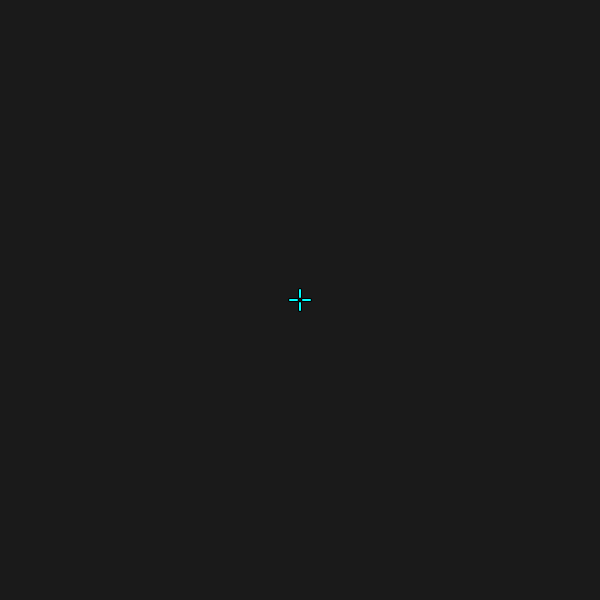
Pro Crosshair Codes 2026: The Ultimate Pro Player Crosshair Collection
If you have ever watched a VCT finals and wondered how the best players in the world land headshots so consistently, the answer is rarely raw talent alone. It is thousands of hours built on top of a reticle they trust. In this 2026 collection of pro crosshair codes, you will find one-click import strings for TenZ, yay, Aspas, ScreaM, cNed, Derke, and more, plus a clear breakdown of why each configuration works and how to pick the one that fits your aim.
Rather than blindly copying settings, the goal of this guide is to help you understand the design logic behind the best Valorant crosshairs so you can either import a pro config directly or fine-tune it into something that is genuinely yours.
What Are Pro Crosshair Codes (and Why 2026 Matters)
A crosshair code is a single string of characters that encodes every setting in your reticle — color, outlines, center dot, inner lines, outer lines, movement error, and firing error. Instead of moving dozens of sliders, you paste one string and the entire crosshair snaps into place.
Why does 2026 matter? The competitive scene has matured. The dominant configs today are quieter, smaller, and more static than the cluttered reticles from a few years ago. Pros have collectively converged on a few archetypes — the dot, the tight box, the clean cross — because those shapes survive the chaos of utility-heavy executes, post-plants, and chaotic retakes. The crosshair import codes below reflect that current consensus.
Why Pro Players Use Different Crosshairs
There is no single "correct" crosshair. Pro configurations differ for three practical reasons:
Understanding this is the key to using valorant pro crosshair settings well. You are not copying a magic reticle — you are borrowing a starting point that a world-class aimer has already stress-tested.
The Top 10 Pro Crosshair Codes for 2026
1. TenZ — The Iconic Cyan Cross
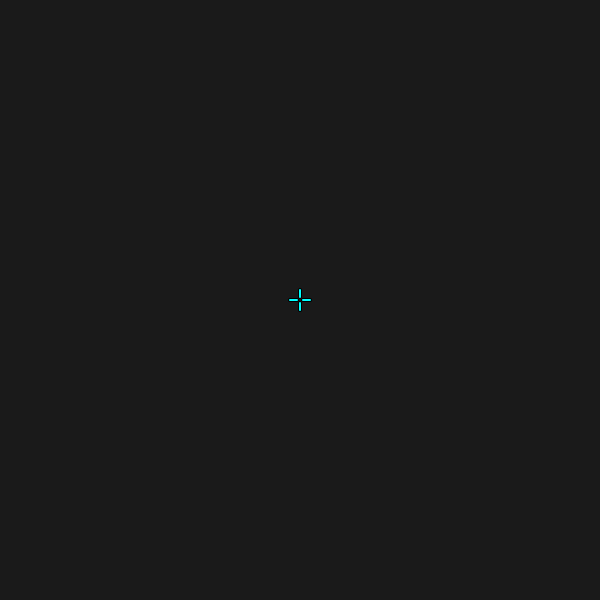
0;s;1;P;c;5;h;0;m;1;0l;4;0o;2;0a;1;0f;0;1b;0;S;c;4;o;1TenZ runs a clean cyan cross (color 5) with no center dot, short inner lines, and movement error enabled so the reticle expands slightly while strafing. The tenz crosshair code is the most copied config in the community because it is forgiving for players still learning counter-strafing — the expansion is a built-in accuracy coach.
2. yay — The Razor Box
Code: 0;P;h;0;f;0;0l;4;0o;0;0a;1;0f;0;1b;0
yay's config is a study in minimalism: hollow center, no offset, inner length 4, fully static. There is no movement or firing error to distract you. This is the config that carried him through his peak Chamber era and it remains a benchmark for precise, disciplined tapping.
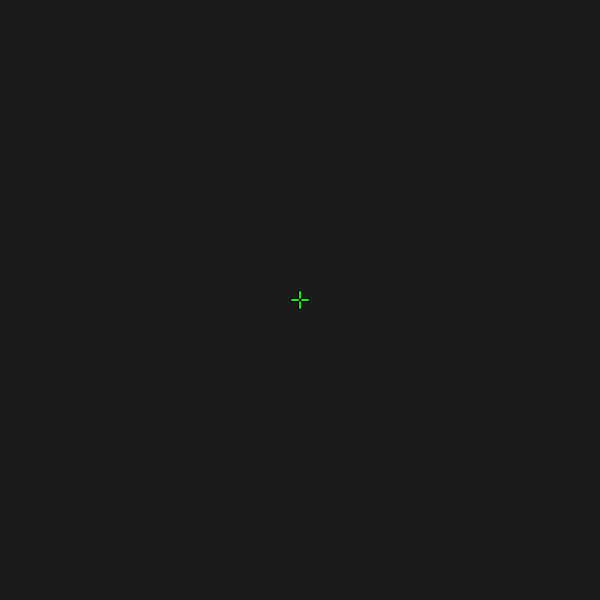
3. Aspas — The Duelist Dot Frame
Code: 0;P;c;5;o;1;d;1;z;3;f;0;0b;0;1b;0
Aspas uses a centered dot with a thin outline and a small gap, tuned for aggressive entries where you need to snap onto heads fast. The dot acts as a laser pointer while the outline keeps it visible against bright surfaces like Icebox containers.
4. ScreaM — The Legendary Dot
Code: 0;P;c;5;o;0.286;d;1;f;0;0t;0;0l;0;0o;0;0a;1;0f;0;1b;0
ScreaM's one-tap reputation was built on this exact setup: a single green dot, nothing else. If you have elite micro-adjustment and trust your flicks, the dot removes all visual noise and tells your brain exactly where the center of the screen is.
5. cNed — The Operator Specialist
Code: 0;P;h;0;f;0;0l;5;0o;0;0a;1;0f;0;1b;0
cNed's slightly longer inner lines (length 5) give a wider reference frame that suits his Operator-heavy style. The hollow center lets you frame a peeking enemy's head precisely, which is invaluable for holding tight angles.
6. Derke — The Aggressive Frame
Code: 0;P;o;1;d;1;f;0;s;0;0t;0;0l;1;0o;0;0a;1;0f;0;1t;0;1l;1;1o;0;1a;1;1m;0;1f;0
Derke pairs a small dot with short outer lines for a compact, focused reticle built for hyper-aggressive entries. The outer ticks help with crosshair placement while strafing without adding clutter.
7. Sacy — The Hybrid Cross-Dot
Code: 0;P;h;0;f;0;0t;1;0l;4;0o;1;0a;1;0f;0;1t;3;1o;2;1a;1;1m;0;1f;0
Sacy blends a cross with a small dot and subtle outer lines. This hybrid is popular among Initiators who flex between rifles and the Operator — it performs well in both close-quarters duels and long-angle holds.
8. LESS — The Clean Sentinel Cross
Code: 0;P;o;0;f;0;0t;1;0l;2;0o;0;0a;1;0f;0;1b;0
LESS keeps things extremely compact: inner length 2, no offset, no dot. It is a textbook Sentinel crosshair — tiny, unobtrusive, and perfect for holding angles for long stretches without eye fatigue.
9. Wardell — The Operator Dream
Code: 0;P;c;5;h;0;f;0;0l;4;0o;2;0a;1;0f;0;1b;0
Wardell's cyan cross with a small offset became the unofficial standard for Operator players in North America. The gap frames heads cleanly at range, and the cyan stands out against almost every map texture.
10. Subroza — The Pink Statement
Code: 0;P;c;7;o;0.715;f;0;0t;1;0l;2;0a;1;0f;0;1b;0
Subroza proves visibility matters more than convention. His pink crosshair (color 7) is absurdly readable on green-heavy maps like Bind and Breeze where cyan and green tend to vanish. If your reticle keeps disappearing, a bold color switch can fix it instantly.
How to Import a Pro Crosshair Code in Valorant
Importing takes under ten seconds:
That is the entire process. For a deeper library, browse the full pro player crosshair database, where 140+ configs are indexed by player and team.
How to Choose the Right Pro Crosshair for Your Aim
The best config is the one that survives your playstyle. Use this decision framework instead of guessing:
Match the Crosshair to Your Role
Pick a Color That Survives Your Map Pool
Green and cyan are the safest defaults, but if you queue a lot of bright maps (Icebox, Breeze, Bind), test pink or yellow. The right color is the one you never lose track of mid-fight.
Tune for Your Resolution
A pro's code is calibrated for their monitor. If the imported reticle feels too big or too small, do not abandon it — adjust it. The fastest way is the crosshair generator, which lets you preview every parameter in real time without trial-and-error in the Range.
Pro tip: after importing, play five Deathmatch games before queuing Competitive. If your eyes stop noticing the reticle during fights, you have found the right config. If you keep losing track of it, switch color or shrink the lines.
Common Mistakes When Copying Pro Settings
For lighter moments between ranked grinds, browsing fun crosshairs can reset your mental — just bring a serious config back for Competitive.
Frequently Asked Questions
What are pro crosshair codes in Valorant? Pro crosshair codes are single-string exports that encode every reticle setting a professional player uses — color, outlines, center dot, line length, and error behavior. Paste the string into the Import Profile Code dialog in Settings and the entire crosshair applies instantly, no manual slider work required.
Are the 2026 pro crosshair codes still valid after patches? Yes. Crosshair codes are version-independent, so a config imported today keeps working across patches unless Riot overhauls the crosshair system entirely. Pros do update their reticles occasionally, but the core archetypes — dot, cross, box — stay stable year over year.
Which pro crosshair is best for beginners? TenZ's cyan cross is the most forgiving for new players because the movement-error expansion gently coaches counter-strafing. yay's static box is a strong second choice once you understand spray control. Avoid the pure dot (ScreaM) until your flick consistency is reliable.
Can I use a pro crosshair code on a different resolution? You can, but it may look larger or smaller than intended because pros tune for their own monitor. Import the code, then adjust line length and offset using a crosshair generator so the reticle matches your screen instead of fighting it.
Do pro players use movement error or firing error? Most do not. The 2026 meta favors fully static reticles for cleaner muscle memory. TenZ is a notable exception who keeps movement error on. If you are unsure, default to both off and only enable them if you specifically want that visual feedback.
Conclusion
The right reticle will not magically make you Radiant, but the wrong one will absolutely hold you back. The pro crosshair codes 2026 above give you a direct line into the configs that the best aimers in the world have refined over thousands of hours — whether that is TenZ's iconic cyan cross, Aspas's entry-fragger dot, or yay's razor-clean box.
Start by importing one that matches your role, test it thoroughly in the Range, and commit to it long enough for muscle memory to form. When you are ready to move beyond copying, use the crosshair generator to evolve a pro config into something that is unmistakably yours. For the full collection, explore the professional crosshair database, and check the blog for more aim and settings guides. Lock in your reticle, trust your aim, and good luck on the ladder.